Nothing complicated: watch the short video, or follow the orange numbers on the screenshots, step by step.
The first time you open the app, it walks you through 8 short steps on its own. This guide explains exactly what each button does and why.
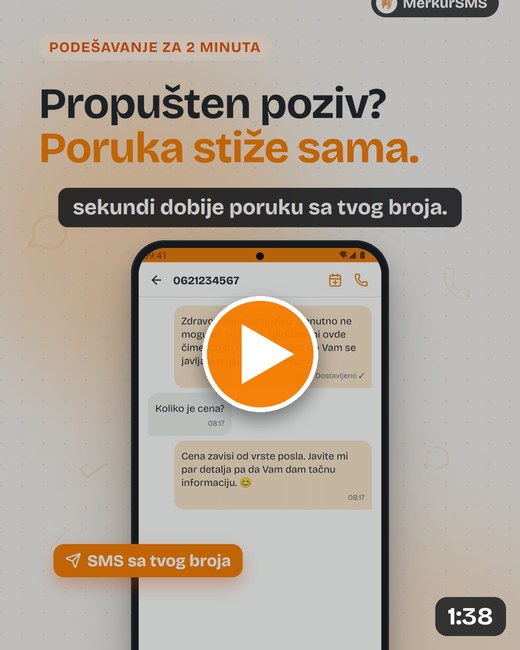 ▶ Watch the guide on YouTubeThe whole setup on a real phone, in under two minutes.
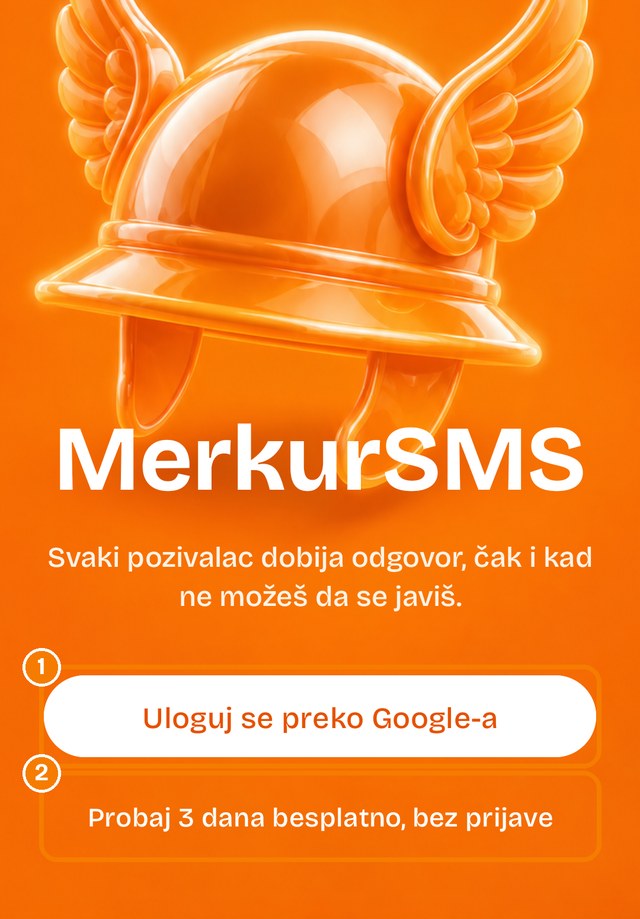
On the first screen you choose how to get in:
Tip: go with Google sign-in. You get 11 more days, and they stay with you even if you change phones.
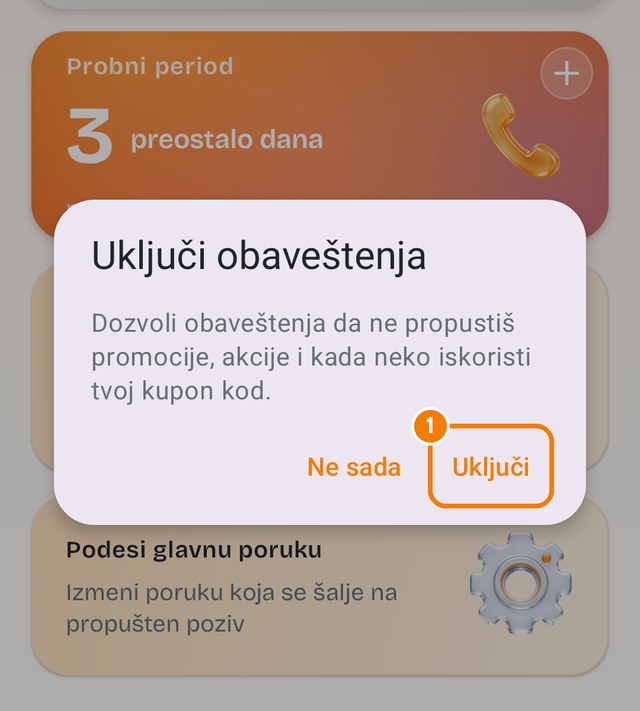
🔔 Turn on notifications. Right after sign-in the app asks for them: tap „Turn on”, then „Allow”, so important messages from us reach you.
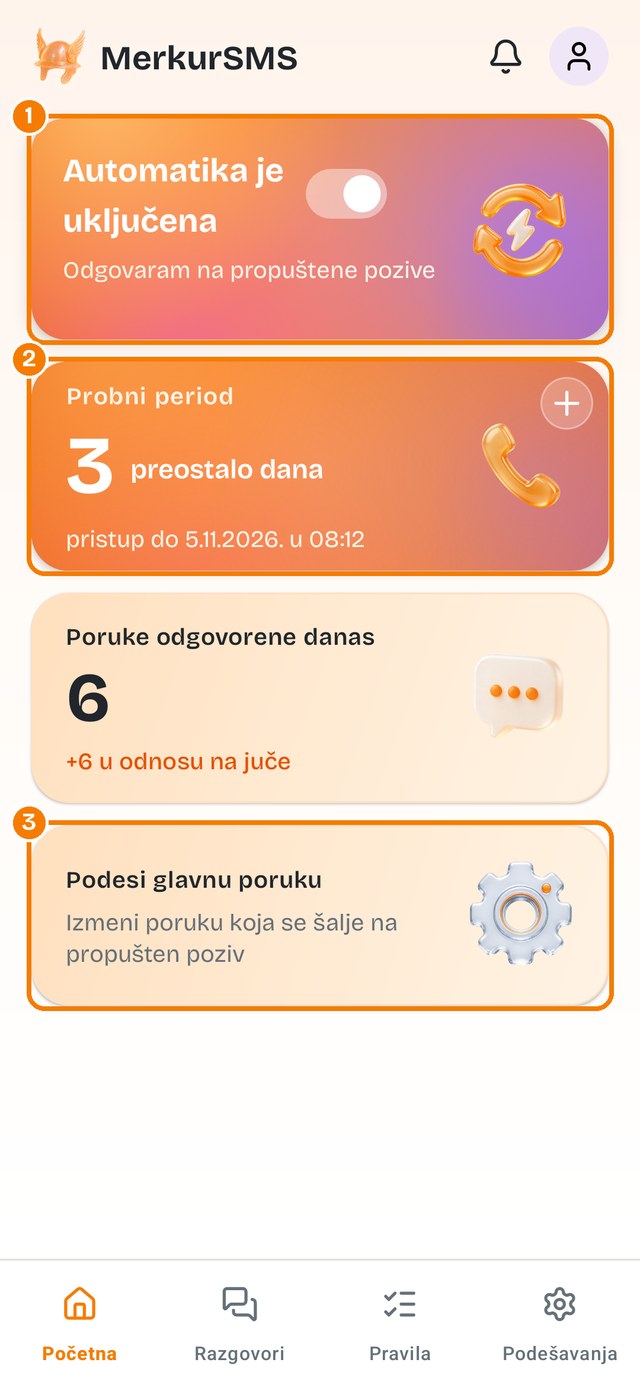
In between is the „Messages answered today” counter, so you can see how many people MerkurSMS took care of while you were working.
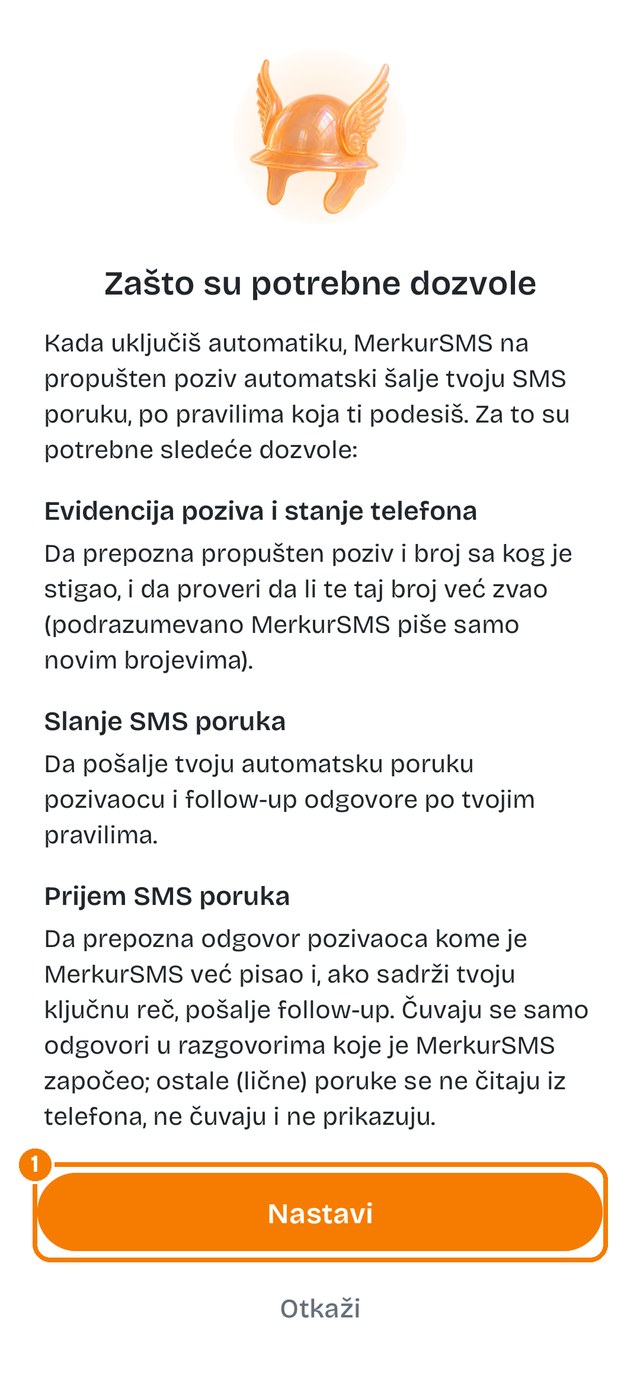
The first time you turn on Automation, the app explains why it needs permissions. Without them MerkurSMS simply can't do its job:
To know a call was missed, and from which number.
To send your message to that number.
To see the reply, but only in conversations MerkurSMS started (e.g. someone writes „price”). It doesn't read or store your personal messages.
Only to check whether a number is in your contacts, so it doesn't text your family and friends.
🔒 Everything stays on your phone. Nothing goes to servers and nothing is sold.
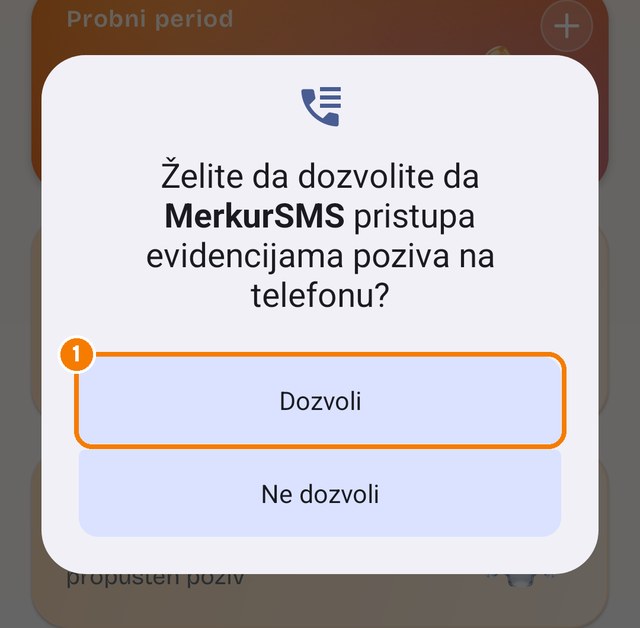
On a phone set to Serbian the button says „Dozvoli”.
In the bottom menu tap „Rules”. This is everything MerkurSMS sends on your behalf.
New: below is also „Phone automation”. MerkurSMS can work on a schedule, silence your phone at night and add a reminder to your calendar to call back. Turn on what you need, whenever you want.
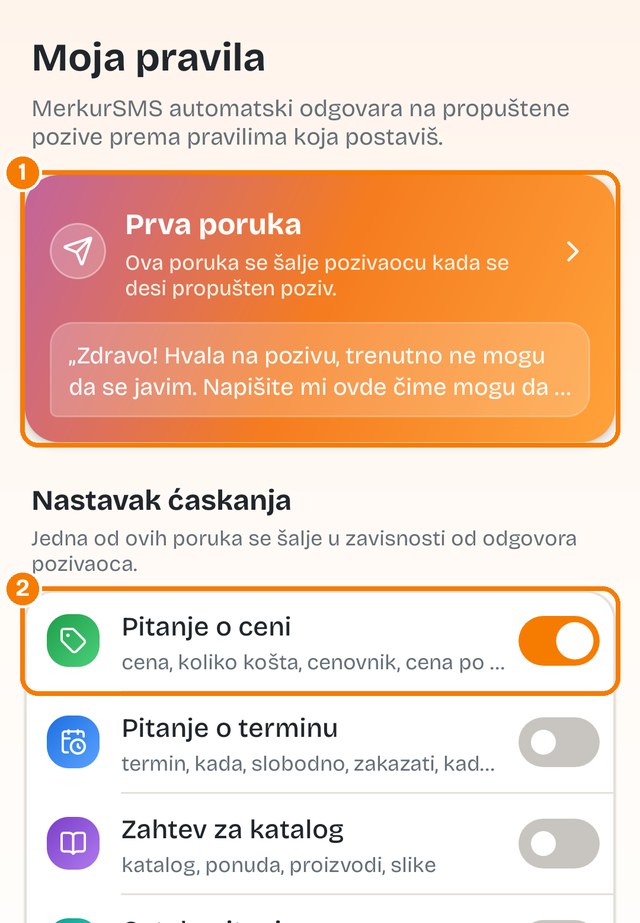
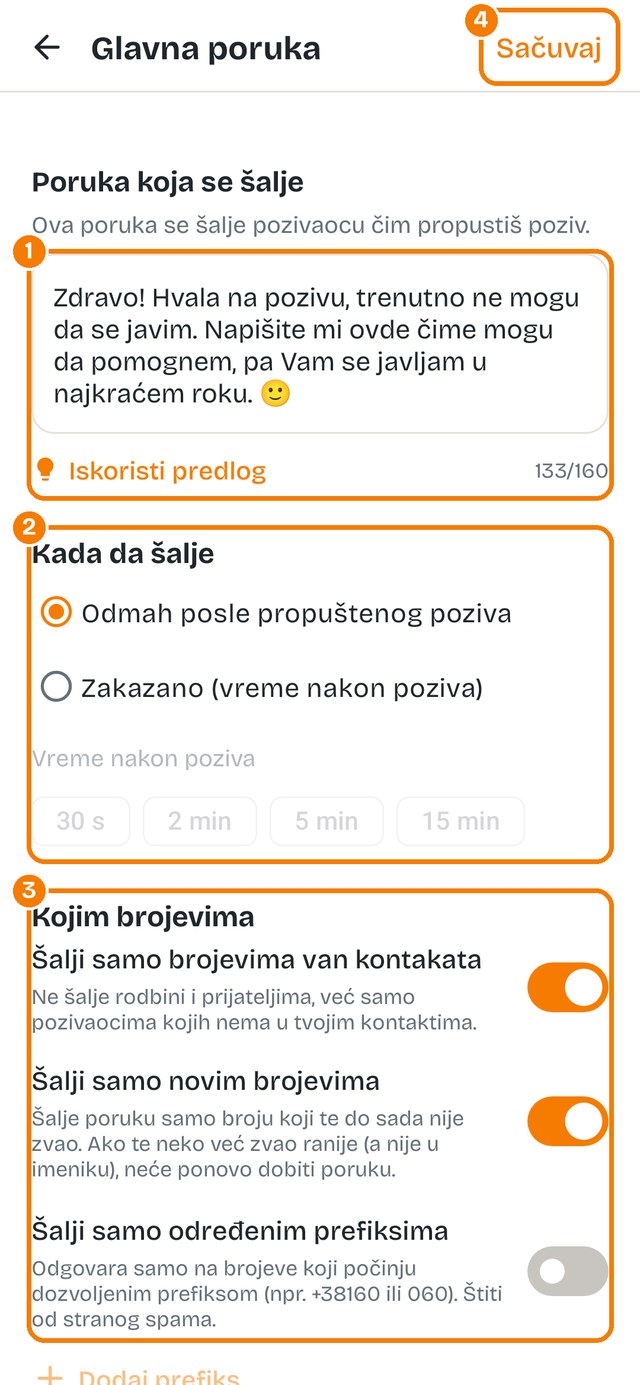
Tap „First message”. This is the most important message, because everyone who calls you sees it.
The trick that makes the difference: end your message with a question, e.g. „Are you interested in the price or an appointment?” People reply, and MerkurSMS can keep the conversation going.
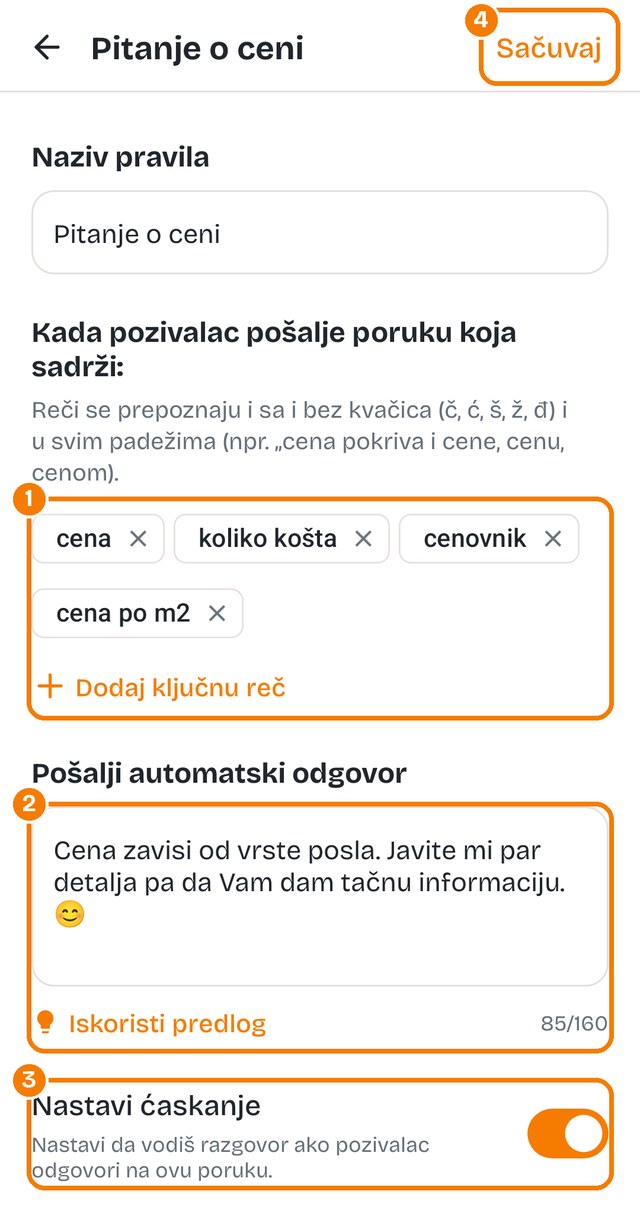
A follow-up is the second message. It's sent only when the caller replies to the first one with a keyword from your rules. It looks like this:
To set up your own follow-up, in „Rules” tap a rule, for example „Price question”:
No spamming: by default one number gets at most 3 messages (first + 2 follow-ups). And you still close the deal yourself: MerkurSMS doesn't book anything for you, it just keeps the person interested and sends them the info.
Go back to „Home” and turn on the Automation switch (number 1 from step 2). When it says „Automation is on”, you're done. 🎉
🧪 Test it right away: ask someone to call you from a number that isn't in your contacts. Don't answer. A few seconds later your message arrives. Have them reply „price” and watch MerkurSMS keep going.
We'll set it up together in a few minutes. Really, call.
Has MerkurSMS already saved you a job? Leave us a rating on Google Play, it means a lot 🙏
← Back to home